
GoldenRoo Mobile App for Android and iOS
Golden Roo Casino features one of the best diversities of games an Aussie player can only ask for. But, one of the main benefits of the platform is that it also works on the go thanks to the GoldenRoo app. More specifically, the Golden Roo casino app is currently in development, but in the meantime, you can use the mobile version of the platform instead, either by using the mobile website or by getting the PWA version.


Both of these versions offer the same range of games for you, including slots, table games, live games, game shows, and instant win games. Not only that, but the GoldenRoo mobile app also works under the Anjouan license with license number ALSI-202505043-FI2. All of the games are beautifully adapted to the size of any screen, making using the program all the more enjoyable.
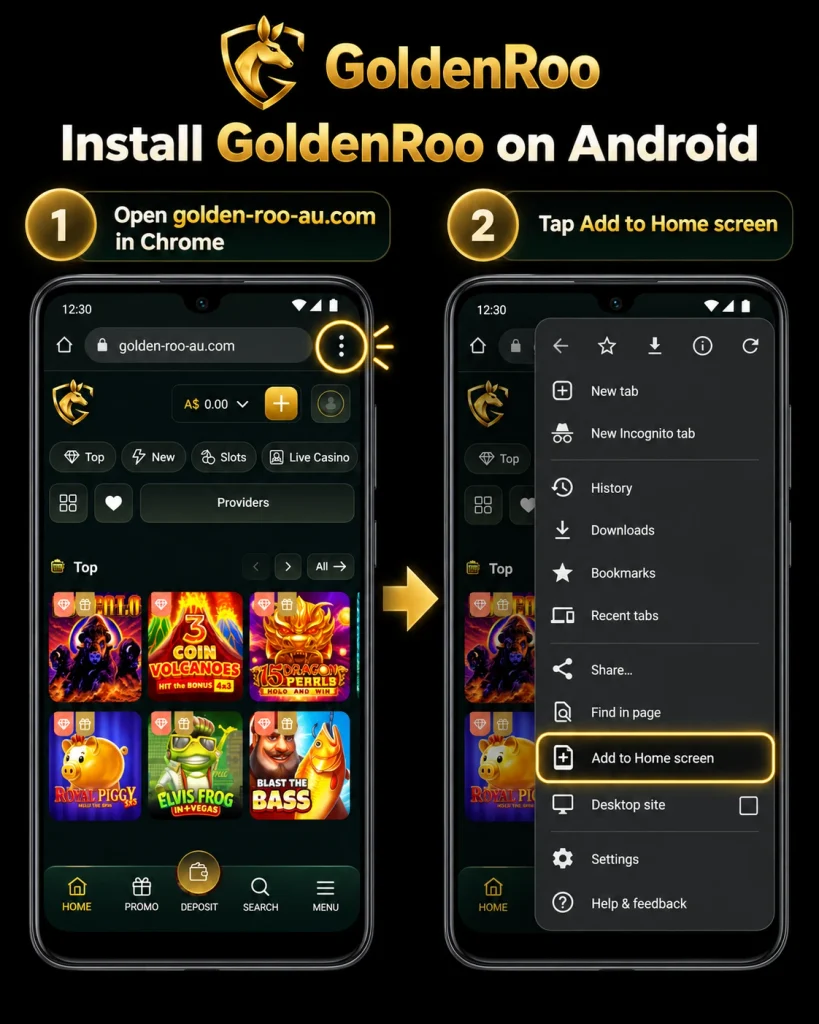
How to Get Android APP
Since the GoldenRoo official mobile app is currently in development, instead of using it, you can use the adaptive PWA version instead. This version basically works like a standalone app, but will be using the mobile browser of your device instead. It won’t take any space on your device, and will only take a moment to install. Here is what you will need to do:
- Open the GoldenRoo website in the mobile browser of your Android device.
- Tap on the menu button, which has an icon with 3 lines.
- Find “Install” or “Add to Home Screen”, and tap on it.
- Make sure the link is not interfered with, and name the app however you like.
- Press “Add” to confirm.
Once you’re done, the icon of the app will appear on the home screen of your device, and you will only need to tap on it and sign up to start playing. If you already have an account, you can just log into it without the need to create a new one.
How to Add PWA to iOS
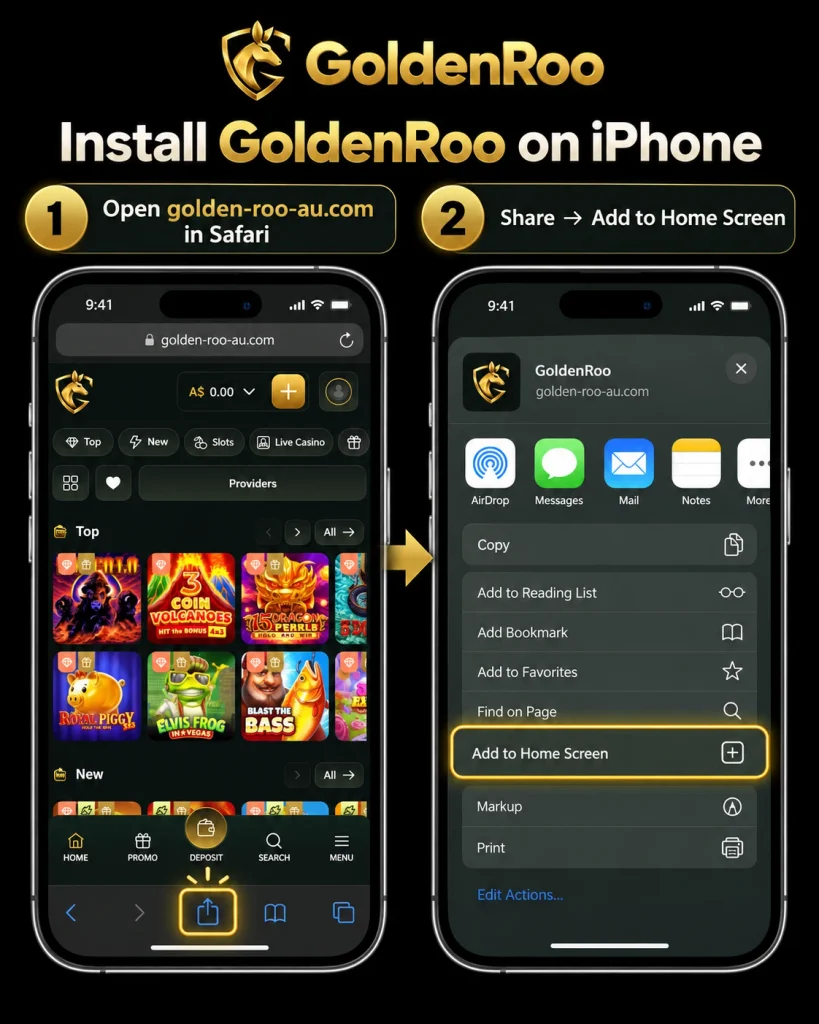
Just like with Android, iOS users also have the opportunity to use the mobile GoldenRoo version via the PWA. The installation won’t be much different from Android, since all you will need to do is:
- Go to Golden Roo by using Safari or any other browser you enjoy.
- On the bottom of the browser, tap on the “Share” button.
- Tap on “Add to Home Screen” in the opened menu.
- Name the app, check the link, and confirm.
And you’re all done. The icon of the app will be present on the home screen.
Mobile Login
In order to be able to use the mobile version of the Golden Roo website, you will need to have an account for playing. Without it, you will only be able to play games in demo mode, but won’t be able to win any real money or use bonuses. If you already have an account, you can just tap on the “Log In” button, then enter your email and password. But, if you don’t have an account yet, you can create one by doing the following:
- Tap on the “Sign Up” button on the main page.
- Fill in your email and password.
- Choose Australia as your country.
- Agree to Terms and Conditions, as well as Privacy Policy.
- Press “Sign Up” to finish.
Alternatively, for both signing up and logging in, you can use your Google or Microsoft accounts.
Mobile Interface
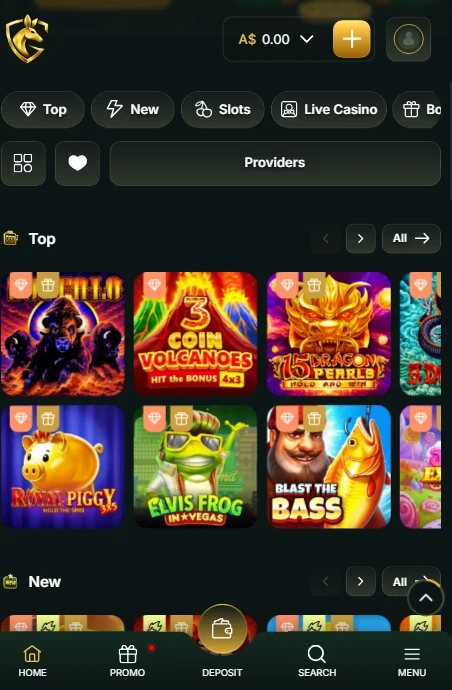
The mobile version of the Golden Roo website is perfectly adapted for all portable devices. Once you open it, you will immediately see all of the most popular games, which can be filtered by genre or provider. The menu button is also clearly visible, and by tapping on it, you will be able to open pages like bonuses, VIP, missions, tournaments, and games. The mobile version also allows you to contact the support team, which is optional at any time of day via live chat.

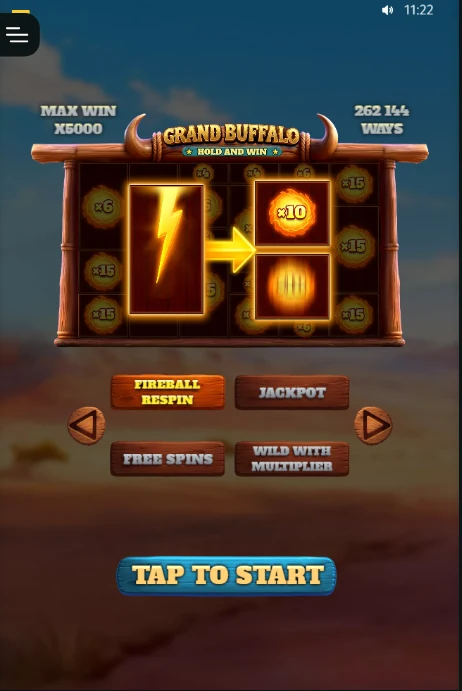
The games themselves are also fitting for mobile devices. The scale of the game changes depending on the size of the screen your mobile device has, so nothing is overlapping or missing, and all the buttons and gameplay mechanics are perfectly visible when you play.
How to Play with GoldenRoo App
Using the mobile app of Golden Roo for playing casino games is very simple. You will just need to do the following steps:
- Open the GoldenRoo app, then log in or sign up for a new account.
- Make a deposit with any of the available payment methods, like Visa, Mastercard, or crypto.
- Open the casino section, then choose the game you would like to play.
- Choose the amount you will be spending each round, then press “Play” or “Spin”.
If your play wins, the winnings automatically get credited to your account.